Hermes on a Droplet: My AI Coworker Moved In
How I set up Hermes, my personal AI agent, on a DigitalOcean droplet — and the good, the weird, and the slightly annoying parts of wiring it together.
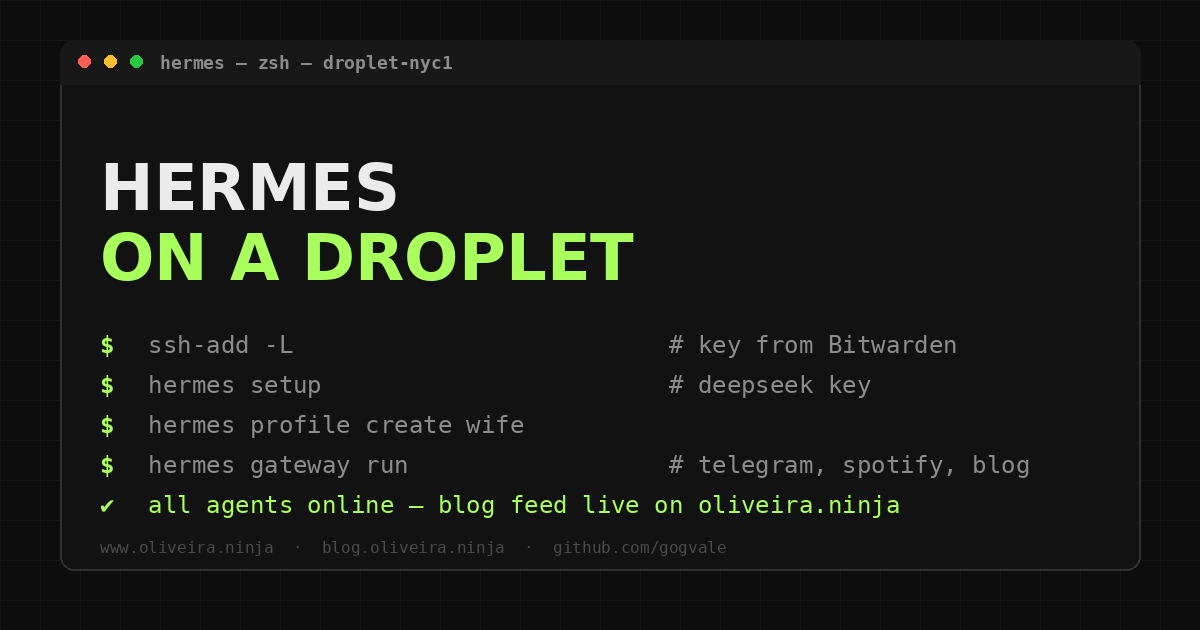
TL;DR — I gave my AI assistant a permanent home on a DigitalOcean droplet this week.
- The image ships with Hermes pre-included — setup took less time than ordering a pizza.
- SSH key lives in Bitwarden, served by the agent: no manual key creation per machine.
- Profiles for me and my wife, Spotify connected, and it helps write this blog.
- The one annoyance: DeepSeek’s prepaid credits ran dry mid-task.
This week I did something I had been meaning to do for a while: gave my AI assistant a permanent home.
Not in the sense of installing another chatbot. I mean an agent that lives on a server, answers me from anywhere, and does things — reads my repositories, touches my playlists, keeps notes between conversations, and can even help write posts for this blog. A coworker, not a search box.
The tool is called Hermes.
It is an open-source AI agent framework from Nous Research: it runs in a terminal or on a messaging platform, has tools for the filesystem, the web, GitHub, Spotify, and a bunch of other things, and keeps a persistent memory across sessions.
It is the kind of project where the README says “autonomous agent” and you start thinking of things you want it to do.
This post is the story of that setup. The smooth parts, the weird parts, and the one that made me roll my eyes.
The Idea
I wanted three things out of this:
- An always-on assistant I could reach from my phone, my laptop, or anywhere else.
- One that is not just chat — it should be able to run commands, edit files, and manage accounts when asked.
- One that remembers context between conversations, so I do not have to re-explain who I am every time.
The “always-on” part was the key. I had tried running agents on my workstation, but a laptop is a bad home for something that should be reachable at 9pm from the couch. A small server was the obvious answer.
“A coworker, not a search box.”
The Setup
DigitalOcean
I spun up a droplet on DigitalOcean. The image even ships with Hermes pre-included, which made the first part embarrassingly easy: create the droplet, wait for it to boot, log in, and the agent is already there waiting for configuration.
No dependency hell, no compiling from source, no “well actually you need Node 22 and Rust and a prayer.” It was the kind of setup that used to take me an afternoon and now takes the time it takes to order a pizza.
SSH, the Bitwarden way
For access, I did the slightly unusual thing: generated a fresh SSH key, stored it in Bitwarden, and used the SSH agent to authenticate from my PC.
The point of that flow is you never have to manually create or copy keys on each machine you use.
The key lives in your password manager, the agent loads it when needed, and your laptop is not holding on to another secret it should not be holding.
This deserves its own post later, because it is a nicer workflow than the classic ssh-keygen + ssh-copy-id dance — and it is one of those habits that is hard to unlearn once you try it.
DeepSeek API
For the model provider, I went with DeepSeek. The API setup itself was painless: create an account, grab a key, paste it into the config, done.
The annoying part is their payment model. DeepSeek is prepaid — you buy credits first, then use them. When you run out of tokens (or whatever unit they measure consumption in), you stop working until you pay again.
There is no invoice, no “we will bill you next month,” no graceful credit line. Just a balance that drains and a wall at the end of it.
It is not a huge deal, and the prices are good. But the first time the agent stopped mid-task because the balance hit zero, I had a “seriously?” moment. It is a small operational tax you do not pay with postpaid providers, and worth knowing about before you build anything on top of it.
Profiles, Spotify, and the blog
The rest was configuration, and this is where the setup stopped being a server exercise and started being fun.
Hermes supports profiles, so I set up two: my own and one for my wife. Separate memories, separate context, same machine. That took about a minute each.
Then I connected my Spotify account, which means the agent can look at my playlists, check what is playing, and control playback. A small thing, but the kind of small thing that makes the agent feel like it is actually mine.
And then there is this blog. The blog repository has its own agent guide, so when I ask for help with posts, the agent knows the tone, the structure, and the tags without me explaining it every time.
I can say “write a post about X” and get something that sounds like me instead of like a press release. That is the feature that keeps surprising me.
What Worked
The whole “someone who knows what they want” experience. If you can describe what you are trying to do, this kind of agent turns hours of clicking through docs into a few prompts and a coffee.
Concrete examples from the same evening:
- Connected GitHub authentication through the CLI in a few minutes.
- Installed Homebrew without sudo, user-local, because the box has no root password configured for me.
- Set up the landing page to pull the latest blog entries from the blog’s RSS feed — committed, pushed, deployed, live, all in one session.
- Asked the agent to check my Spotify playlists, and it described my music taste back to me with embarrassing accuracy.
None of that is magic. It is just a well-built tool plus someone who knows what they want and can say it. That last part matters more than people think.
What Got Weird
The DeepSeek prepaid thing is the main entry here, already covered above. But there is also the novelty of the agent being right there on a server, reachable from my phone, doing things in the background. It takes a day to stop double-checking whether it actually did what you asked.
Also: it wrote this post. I gave it the outline and the tone notes, and it did the typing. I edited, but the first draft was recognizable as mine. That is either the future of blogging or the end of it, depending on how you look at it.
What I Learned
- An agent is only as good as its setup. Five minutes of configuration saves hours of prompt wrestling.
- The prepaid provider model is worth checking before you commit, not after your balance hits zero mid-task.
- Profiles + shared infrastructure means one server can serve several people’s agents cleanly.
- Tools that remember context (the blog guide, the profile, the Spotify connection) are what turn a chatbot into a collaborator.
What Comes Next
I plan to clone this server’s configuration onto my NAS later, so the agent setup is reproducible instead of living on one box. That will get its own post too — NAS homelab people love a good reproducible-config story, and I am one of them.
For now, the droplet is home, the agent is answering from Telegram, and this post got written with a lot less staring at a blank page than usual.
That is a pretty good week.